CRM · SCRM

From lead to payment,
every sales step in one system

A new lead is checked for duplicates and assigned. Once converted to an account and an opportunity it moves through stages, then on to quote, contract, payment and invoice. Who owns it, where it stands and how much has been paid are all on the dashboard and in the reports.

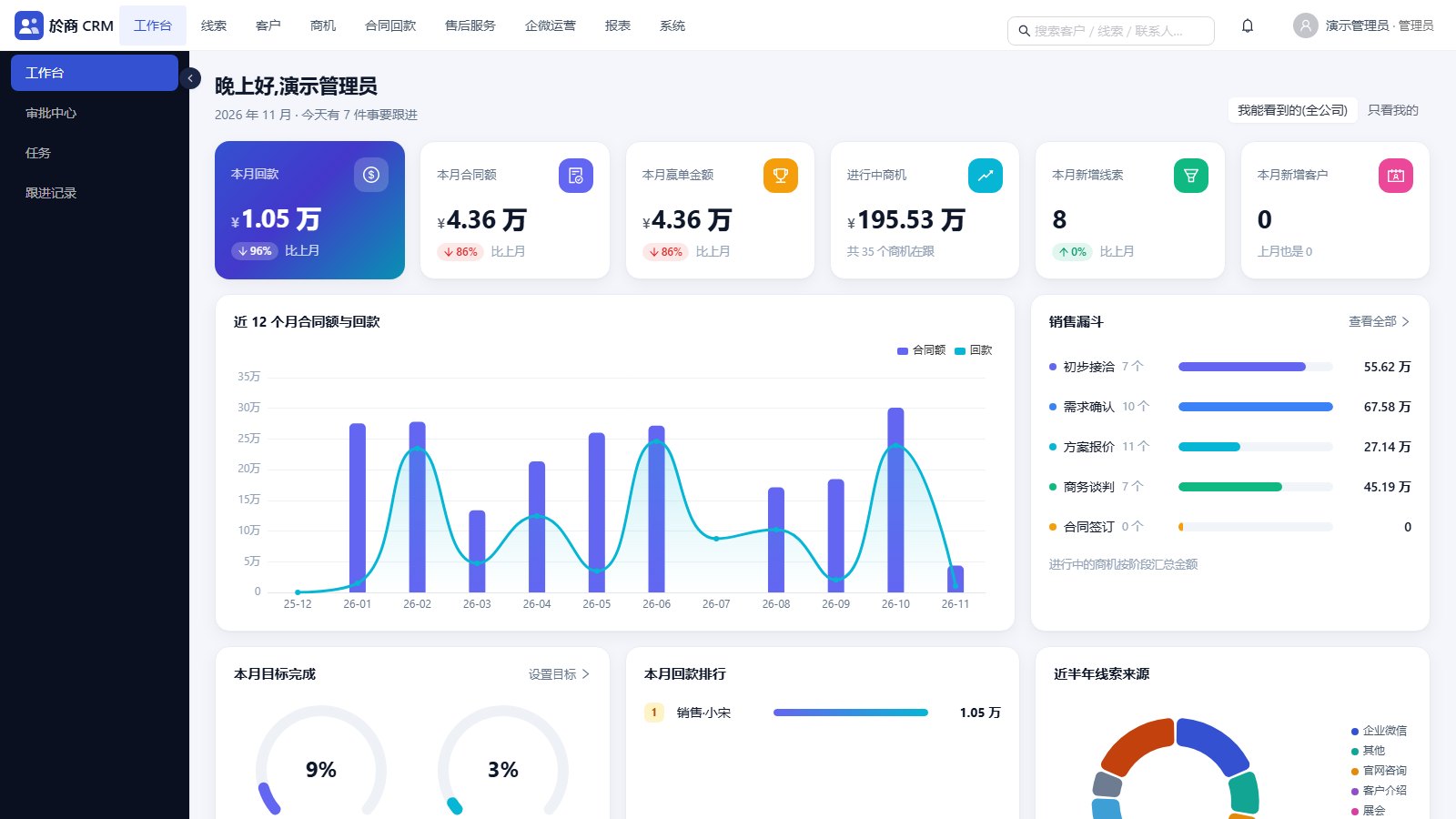
Dashboard: payments, contract value and won deals this month, open opportunities, the sales funnel and a 12-month trend (demo data, Chinese UI). Click to enlarge.
OVERVIEW

One system for the whole sales process

The records are linked: a lead becomes an account and an opportunity, the opportunity gets a quote, the quote becomes a contract, and the contract generates a payment plan.

The full sales flow

Leads, accounts, contacts, opportunities, quotes, contracts, payment plans, payments, invoices and service tickets, all connected.

Data by role

Set what each role can view, edit and delete per record type. Data scope can be own records, own department, department and below, or the whole company.

Separate companies

One deployment can host several companies with isolated data. A platform admin opens, suspends and renews them and assigns plans.

WeCom customer operations

WeCom customers, channel QR codes, tags, customer groups, broadcast tasks, a script library and a material library, linked to CRM accounts.

FEATURES

Main screens

All screenshots come from a demo environment. Company names, people and amounts are generated demo data.

01

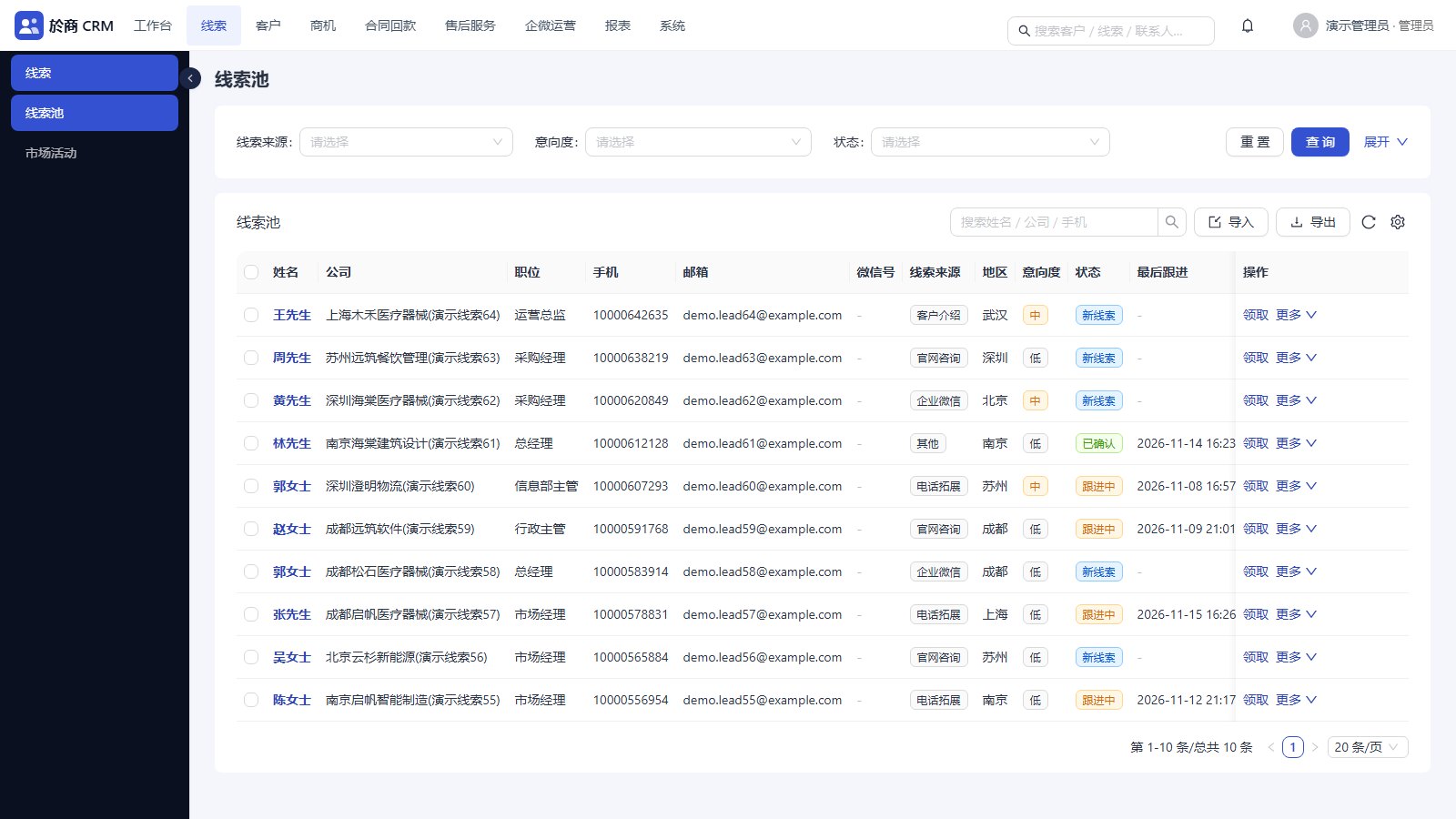
Leads and the lead pool

Leads are checked for duplicates by phone number and carry a status and an intent level. Unowned leads sit in the pool, where a salesperson claims them or a manager assigns them. Returning a lead requires a reason.

  • A daily claim limit per person
  • One-click conversion into an account, a contact and an opportunity, or into an existing account
  • Excel import and export, including import straight into the pool
  • Campaigns and lead attribution
Lead pool: claim, assign, return
02

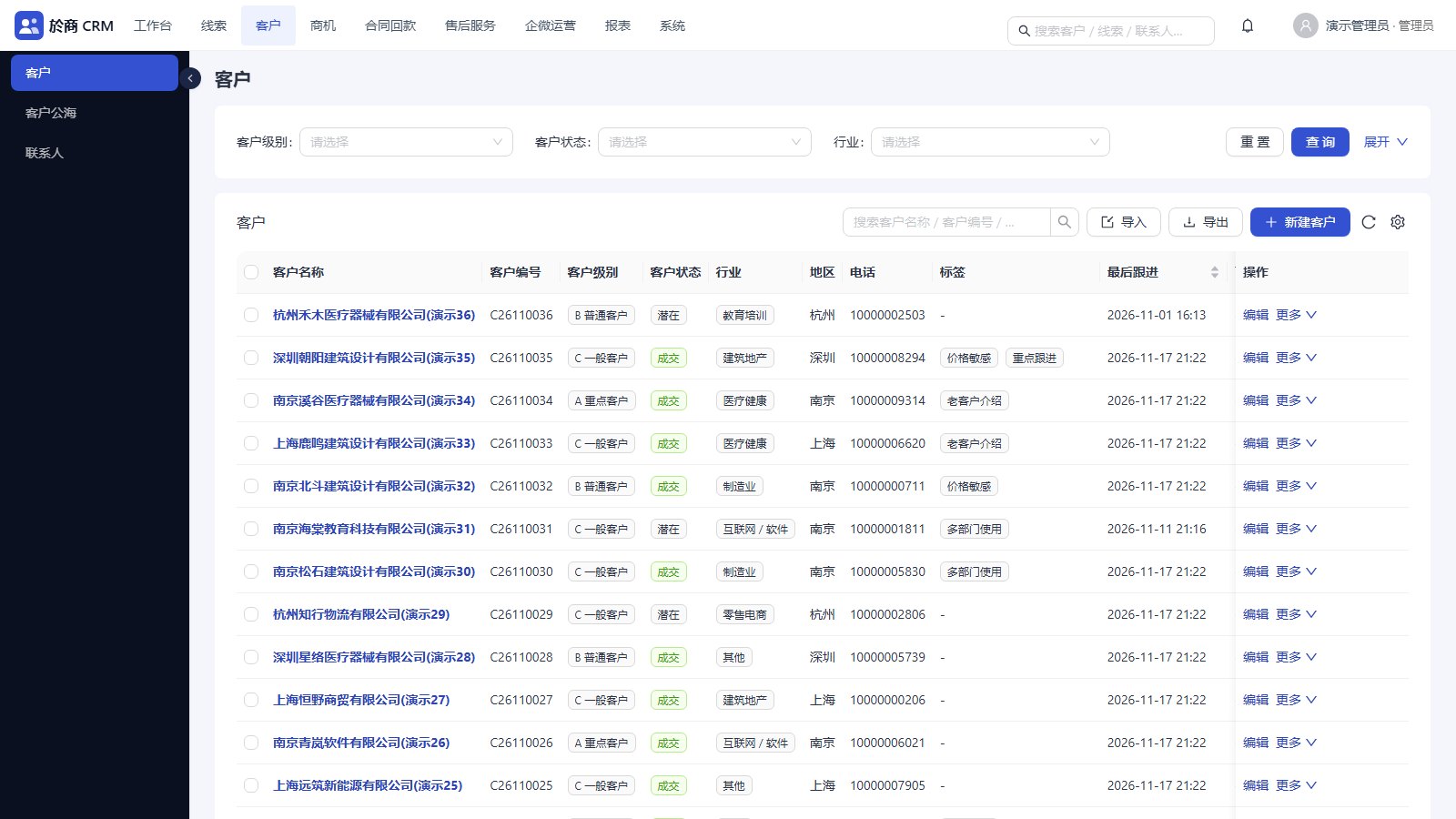
Accounts, contacts and the shared pool

Each account has a number, a level and tags, and is checked for duplicates by name. Open an account to see its contacts, opportunities, quotes, contracts, payments, invoices, tickets and follow-up timeline on one page.

  • Shared pool: claim, assign, return
  • Accounts with no follow-up past a set period go back to the pool automatically, by configurable rules
  • Ownership transfer can include contacts and open opportunities
Accounts: level, status, industry, tags, last follow-up
03

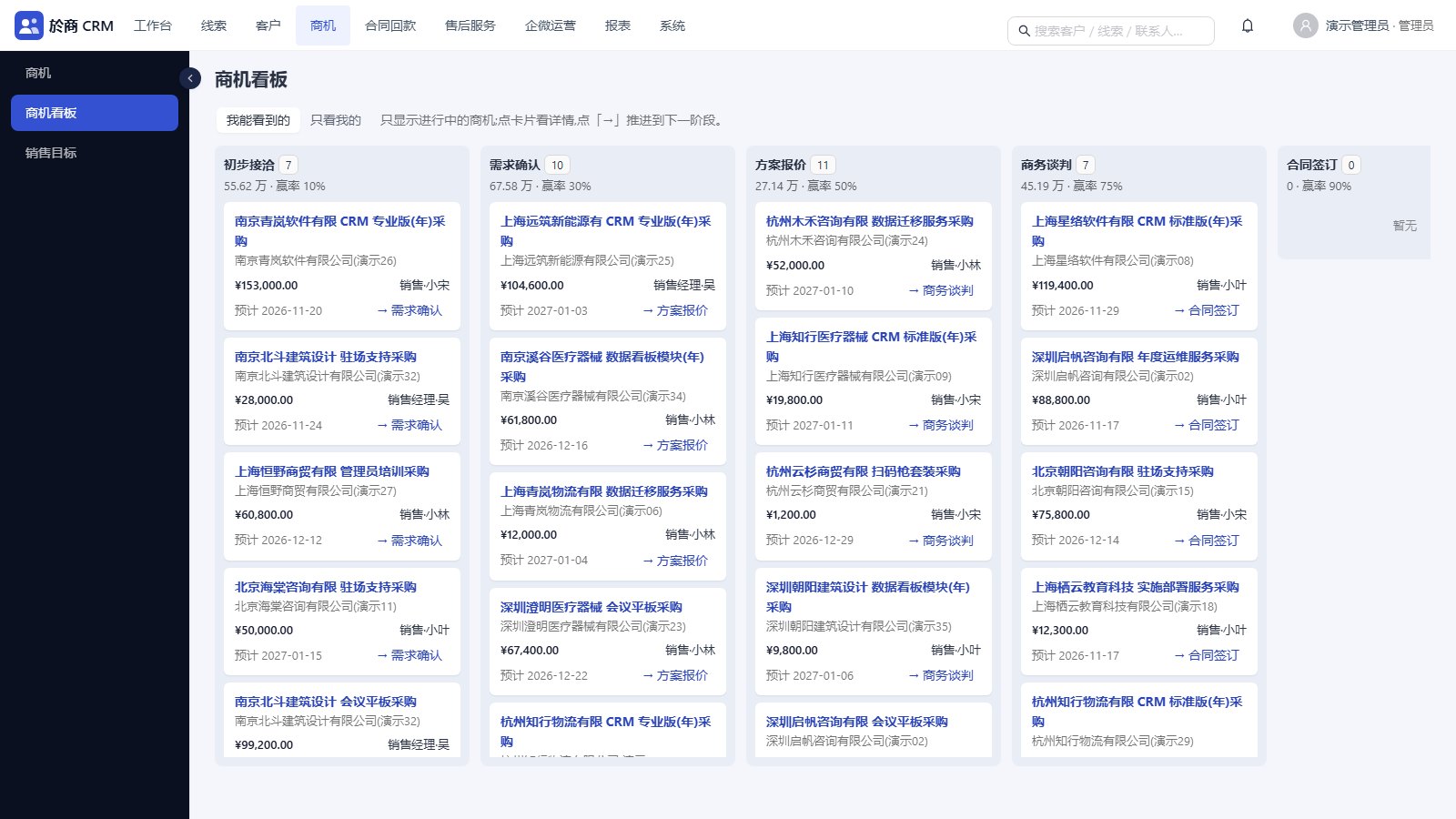
Opportunity board

Open opportunities are laid out by stage, with count, amount and win probability per column. Click a card for details, or the button to move it to the next stage.

  • Stages and win probabilities are configurable
  • Wins and losses are recorded, and a loss needs a reason
  • Follow-up records (call, WeChat, visit and so on) update the last and next follow-up times
  • Tasks and to-dos show up on the dashboard
Opportunity board by sales stage
04

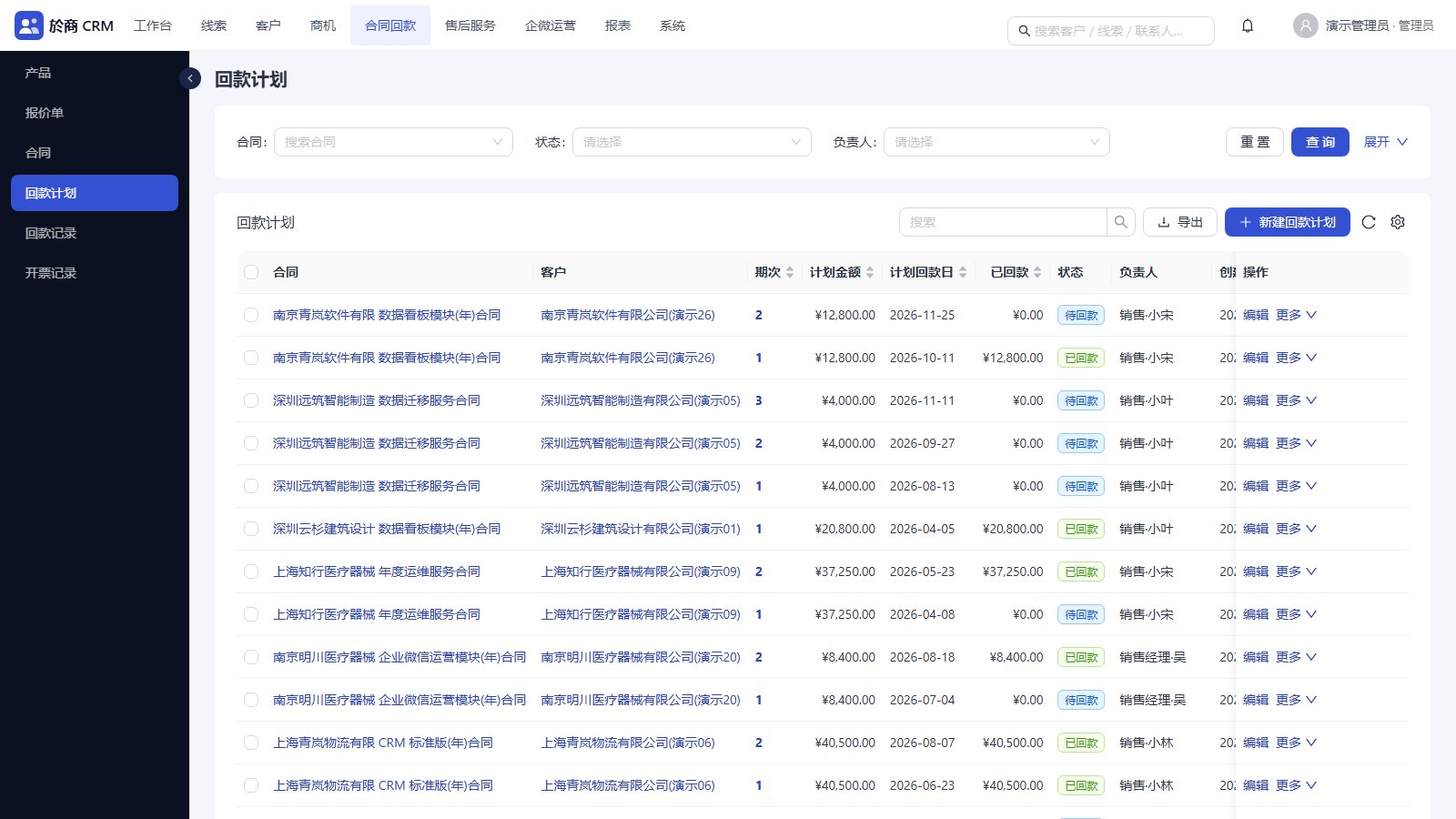
Quotes, contracts, payments, invoices

A quote has line items and an order-level discount, and turns into a contract with one click once approved. A contract can generate its payment plan by number of instalments. Payments are recorded, confirmed by finance, and overdue ones are counted separately.

  • Product catalogue with categories and list prices
  • Invoice records, with the invoiced amount totalled on the contract
  • Approval flows are set per record type and can have several steps. The approver can be a department head, a role or a named person, and a step can depend on the amount
Payment plans: instalment, planned amount, due date, paid, status
05

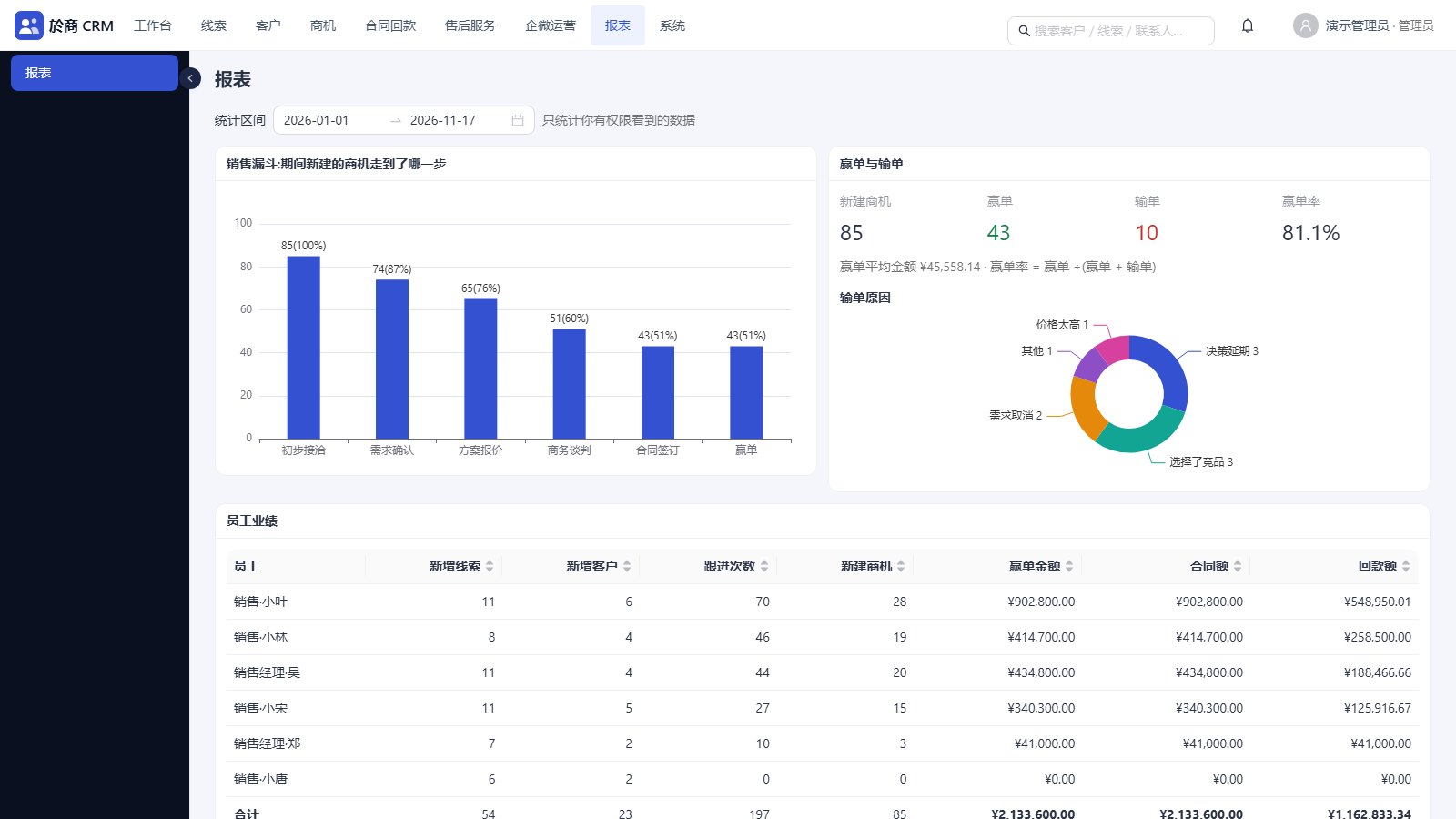
Dashboard and reports

The dashboard shows this month's numbers against last month, the funnel, the trend, a payment ranking, to-dos, pending follow-ups and pending payments. Reports take a date range and count only what the current account is allowed to see.

  • Funnel conversion, win rate and loss reasons
  • Performance by person: new leads, new accounts, follow-ups, won amount, contract value, payments
  • Planned against actual payments, conversion by lead source, account distribution, follow-up activity
  • Sales targets per person per month, with completion rate
Reports: funnel, wins and losses, performance by person
06

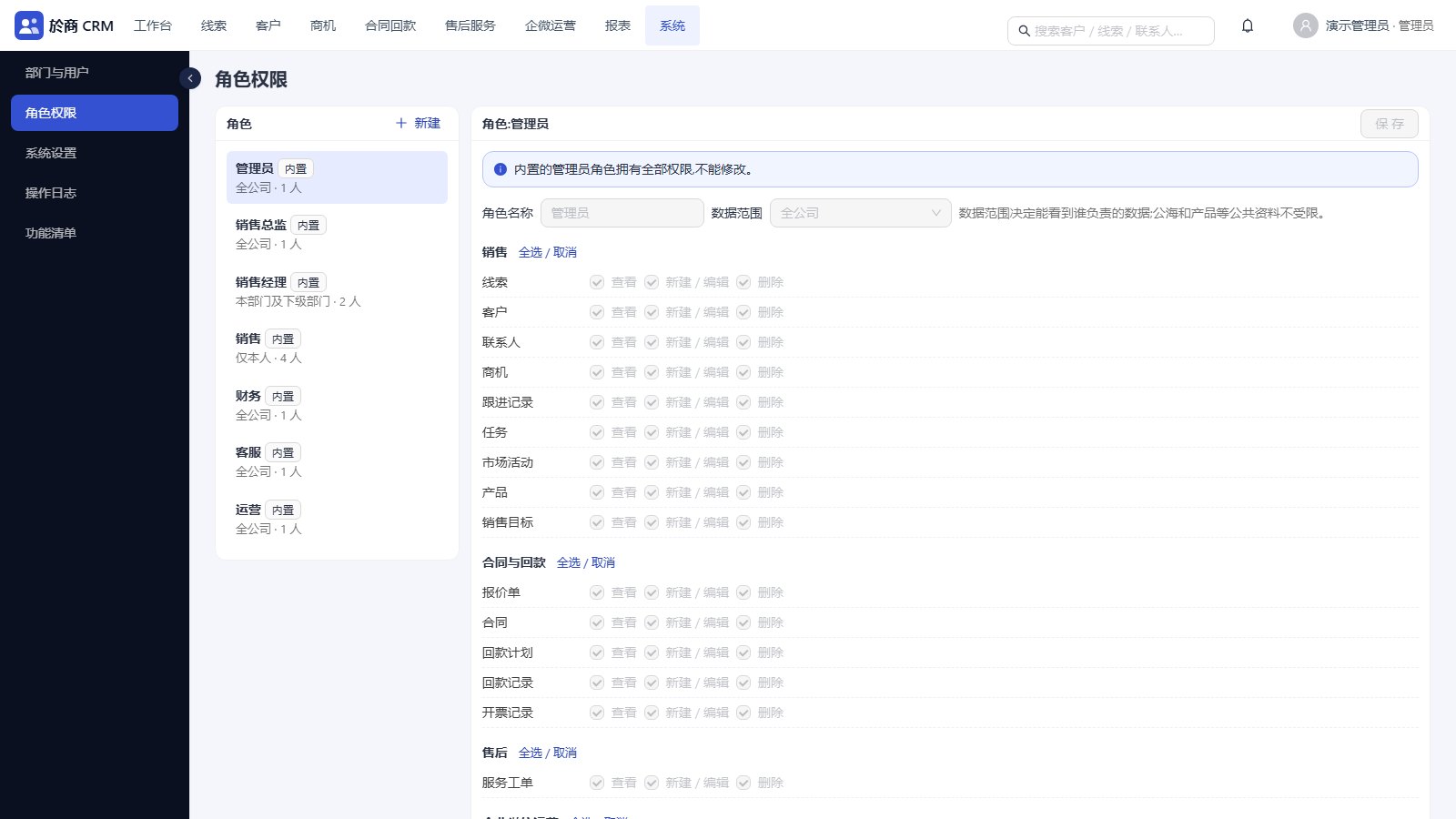
Organisation, roles and permissions

The department tree, department heads and users are maintained in the console. Seven roles are built in (admin, sales director, sales manager, sales, finance, service, operations) and you can add your own.

  • Permissions down to view, create or edit, and delete for each record type
  • An audit log of who changed what and when, with before and after values
  • Forced password change on first login and lockout after repeated failures
  • In-app notices for assignment, approval, payment confirmation and automatic recall
Roles: view, edit, delete per record type, plus data scope
07

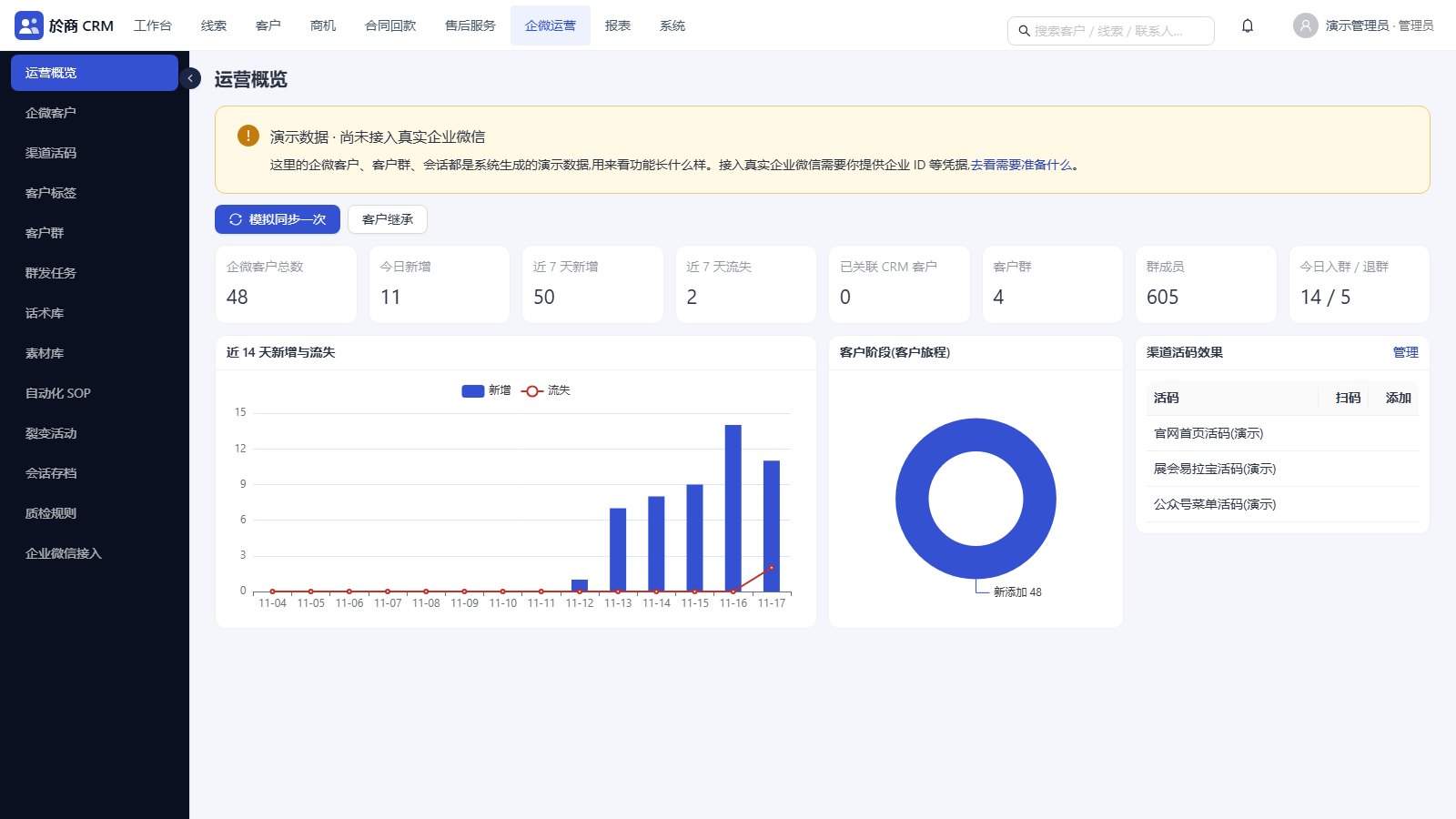
WeCom customer operations

The WeCom customer list carries tags and a customer stage, and each customer can be linked to an existing CRM account or used to create one. Customer groups show member counts and daily joins and leaves.

  • Broadcast tasks to customers, groups or Moments, targeted by tag
  • Script library and material library
  • Sensitive-word rules for checking conversation records
  • Customer ownership can be moved in bulk when an employee leaves or changes role
WeCom overview: customers, added and lost, groups, channel code results
08

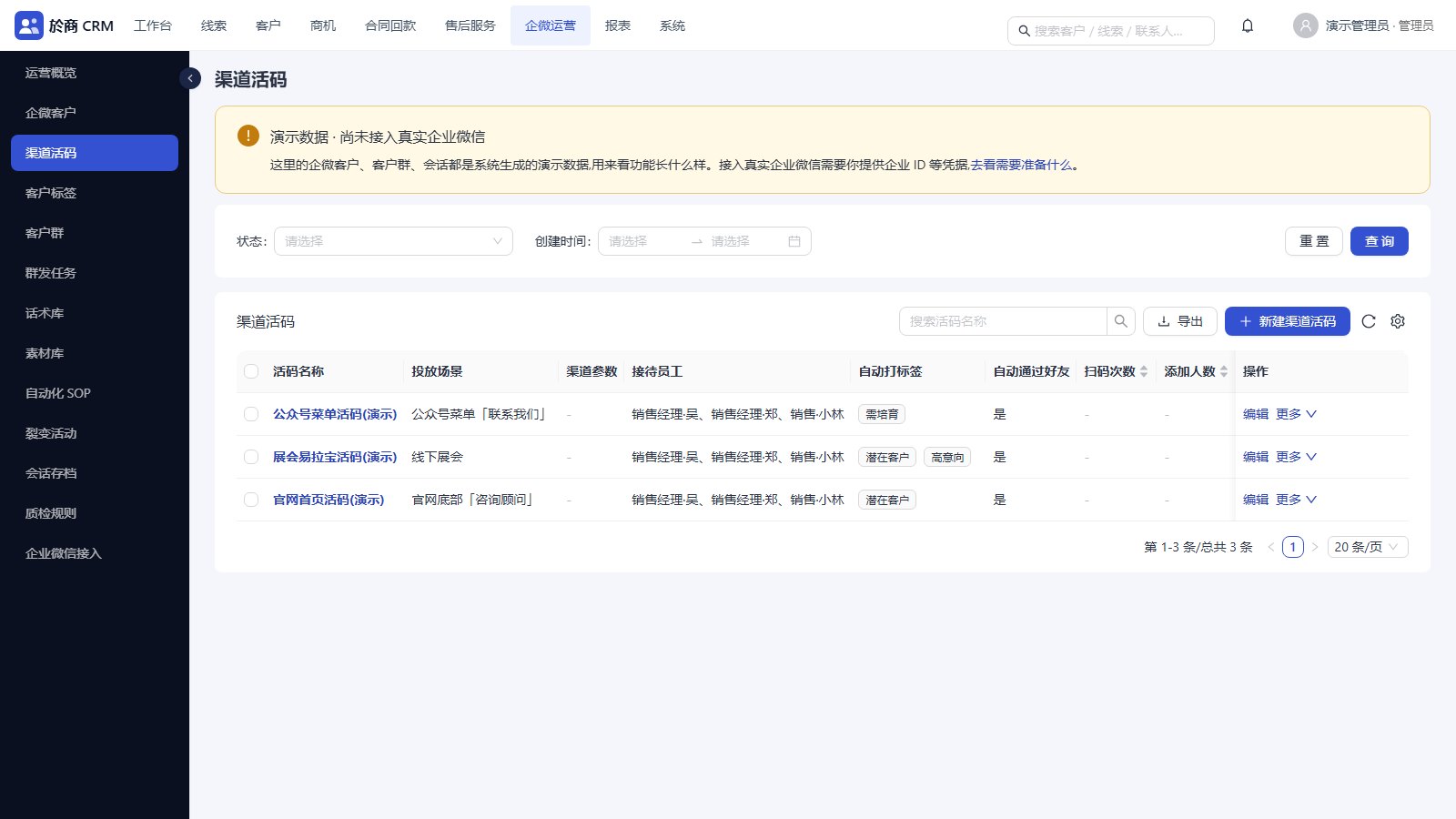
Channel QR codes

Create one code per channel, set the staff who receive customers, the welcome message and the tags applied automatically, then compare scans and adds by channel.

  • Several staff per code
  • Tags are managed in tag groups
  • The overview page shows results per code
Channel QR codes: scenario, staff, welcome message, auto tags
MORE

Other details

Custom fields

Up to 30 custom fields per record type, with no code changes.

Pick lists

Sources, industries, sales stages and loss reasons are maintained in the console.

Global search

One search box for accounts, leads, contacts, opportunities and contracts.

Service tickets

After-sales tickets with type, priority, status and resolution, attached to the account.

WeCom integration status

The sales management part is ready to use. For WeCom, the screens and the API layer are built. The live connection uses your own WeCom credentials and is tested item by item during deployment before it is switched on.

Deployment and stack

Docker deployment, including on your own server. Python FastAPI back end, React and Ant Design front end. The interface is in Chinese.

PRICING & CONTACT

Pricing on request

The quote depends on the number of users, the modules you need and how it is deployed. Email us with the size of your sales team and what you want to fix, and we will reply with a proposal and a quote. A demo can be arranged the same way.

adolfmc@sina.cn